Turn Any Photo Into a Video — Free, Right in Your Browser
Upload a photo, describe the motion, and get a 5-second video in about a minute. Your first video is free — no credit card, no app to install. Turn image into video in one click.
Drag and drop your image here
JPG, PNG or WEBP, up to 10 MB. Sign in with Google to claim your free video — one click, no credit card.
Interactive Before and After
Drag the split slider to witness neural optical motion applied to raw stills.
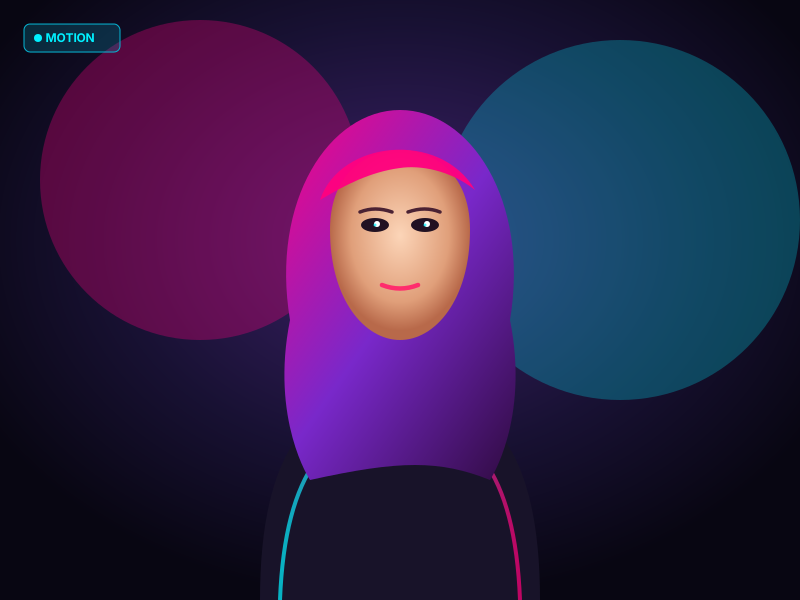
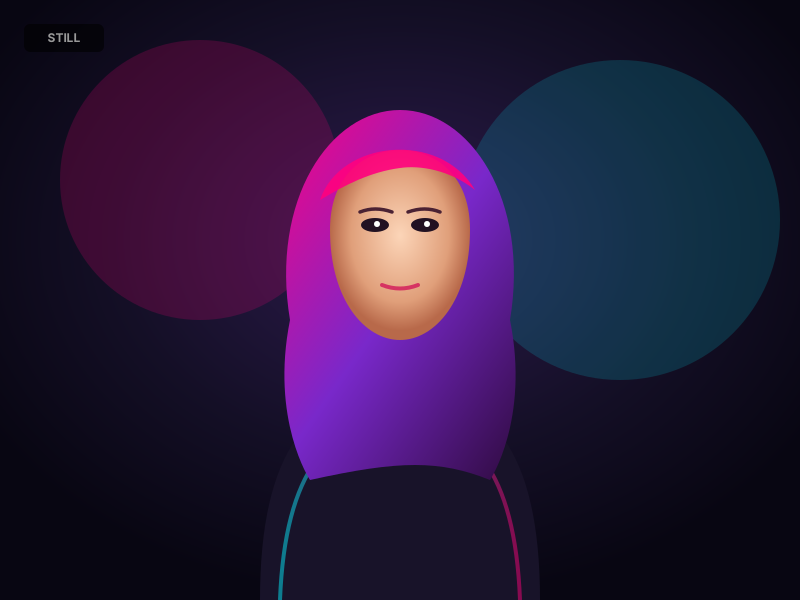
Organic breathing, eye glimmer, and ambient breeze
Engineered Motion Presets
Built-in motion vectors calibrated for portraits, nature, and graphic designs.
Make it wave
The subject and elements in the image sway gently as if moved by a soft breeze, subtle looping motion, photorealistic.
Cinematic zoom
Slow cinematic push-in zoom toward the subject, shallow depth of field, film-like motion.
Kiss & Hug AI
The subjects turn toward each other gently, sharing a sweet tender embrace and affectionate kiss, warm natural motion, cinematic lighting.
Floating particles
Glowing dust particles float slowly through the scene, gentle ambient motion, dreamy atmosphere.
Old Photo Revival
Brings the vintage historical portrait to life with subtle natural breathing, realistic eye blinks, gentle head tilt, and a warm nostalgic smile.
Text fade-in
The text and graphic elements fade in smoothly one by one with subtle motion, professional promo style.
Poster to story
Animate this poster into an engaging social-media clip: gentle camera drift, elements come alive, energetic but clean.
Anime style
Animate in anime style: hair and clothes flutter, eyes blink, soft wind, 2D animation feel.
How to Turn a Photo Into a Video
A streamlined studio workflow designed for creators and storytellers.
Upload your visual
Drop any portrait, landscape, or poster in JPG, PNG, or WEBP format.
Direct the motion
Pick a curated animation style or write your own custom camera prompt.
Export video clip
Download a fluid MP4 ready for Instagram, TikTok, YouTube, or presentation decks.
What You Get Free — and What Pro Adds
Your first video is free. No credit card, ever, to try it.
Works on your phone — no app to download
Open the site in Safari or Chrome on iPhone or Android and make a video the same way you would on a desktop. Nothing to install.
See pricingWhat You Can Make With It
Powering social media reels, digital marketing posters, and artistic visuals.
Facial expression and hair physics
Turn headshots and character portraits into breathing, smiling clips with natural eye movement and soft environmental wind.
Motion for flyers & social cards
Add typographic reveals, pulsing flares, and dynamic drifting camera angles to make static designs stop the scroll.
Drifting clouds and rippling water
Simulate flowing rivers, ocean waves, falling leaves, and drifting twilight atmospheres across scenic photography.
Prompt-guided motion direction
Write your own natural language instructions to guide camera movement, speed, and focus.
Why Use TurnImageIntoVideo
Runs in your browser
No app and no software. It works on desktop, iPhone, and Android.
You direct the motion
Pick a preset or write a sentence about the camera and movement you want.
One-click Google sign-in
No forms and no credit card. Your first video is free.
Standard MP4 output
Download a file you can post, send, or drop into a presentation.
Photo Looks Off? Common Mistakes and Fixes
The source photo is blurry or small
The AI can only animate the detail it is given. Start from a sharp, high-resolution photo.
The subject is tiny in the frame
Motion lands best on a large, clear subject. Crop in closer before uploading.
The motion prompt asks for too much
One camera move and one subject movement is enough. Long, crowded prompts give messy results.
Fair & Predictable Credit Pricing
Pay only for what you generate. 1 standard 5s video = 20 Credits. No surprise charges.
Free
Explore neural motion generation
- 20 free credits on sign up (1 video)
- 720p with a small watermark
- Wan 3.0 model
Pro
For creators & marketers posting weekly video content
- 250 credits / month (resets monthly)
- 1080p HD export with no watermark
- All AI models: Wan 3.0, MiniMax H3 Max, Kling v3 Pro, Veo 3.1
- Full commercial license
Business
For agencies, studios & commercial campaigns
- 800 Credits / month (resets monthly)
- 4K ultra-resolution upscaling options
- Access to Studio Master flagship engines
- 5 concurrent renders in ultra-fast priority queue
- Full commercial white-labeling & API support
- 90-day cloud asset retention
Need Extra Capacity? Grab a Credit Pack
No subscription required. Credits valid for 90 days.
Starter Pack
$5Creator Pack
$15Studio Pack
$39All paid plans include commercial licenses for digital marketing, social media, and client deliverables. Cancel anytime directly from your dashboard.
Frequently Asked Questions
Everything you need to know about generating videos from images.
Is photo to video AI really free?
Your first video is free. Sign in with Google, generate one 5-second 720p clip, and download it. No credit card required.
Do I have to sign up?
Yes, but it takes one click with Google. We never ask for a credit card to try it.
Do I need to install anything?
No. It runs in your browser on desktop and mobile, so there is no app to download.
Will my free video have a watermark?
Yes, a small one in the corner. Pro videos have no watermark.
How long is the video, and what resolution is it?
Free videos are 5 seconds at 720p. Pro adds 1080p HD.
How does the AI turn an image into a video?
The model analyzes depth, foreground elements, and textures in your photo, then synthesizes natural motion over 5 seconds.
What image formats do you support?
JPG, PNG, and WEBP up to 10 MB. Videos download as MP4.
Can I write my own motion prompts?
Yes. Besides the motion presets, switch to Director Prompt to describe camera moves, lighting, and subject motion in your own words.
Can I use the videos commercially?
Free videos are for personal use. Paid plans include a commercial license.
Ready to Bring Your Photos to Life?
Start free with zero credit card required. Experience cinematic AI video animation today.